
Practical guide
Organising the practice calendar: appointments and care plans
Most of the care you give is recurring: the doctor’s prescription sets its rhythm, an insulin injection twice a day, a dressing every other day, a wash three times a week, and you visit the patient on each of those dates. This guide shows how to enter that rhythm once in Tournée Facile, from the calendar or from the patient’s record, and how the whole practice then works from the same calendar.
Allow five minutes. The captures come from a demo practice whose patients are fictitious, and show the French app. For what comes next, the visiting order and the day on the road, see the guide Planning a nursing round.
Two doors, one calendar
A patient’s care plan is all their upcoming appointments: recurring care and one-off visits. You can fill it in from two places, and they are exactly the same appointments:
- from the calendar, one appointment at a time. It shows up straight away in the patient’s care plan;
- from the patient’s record, all their visits at once. They show up straight away in the calendar.
To choose:
- a new patient, or several visits a day (morning, midday, evening): go through the patient’s record, you see their whole day before saving;
- a one-off appointment, a blood test, care added for a week: go through the calendar, it is quicker.
Opening the practice calendar
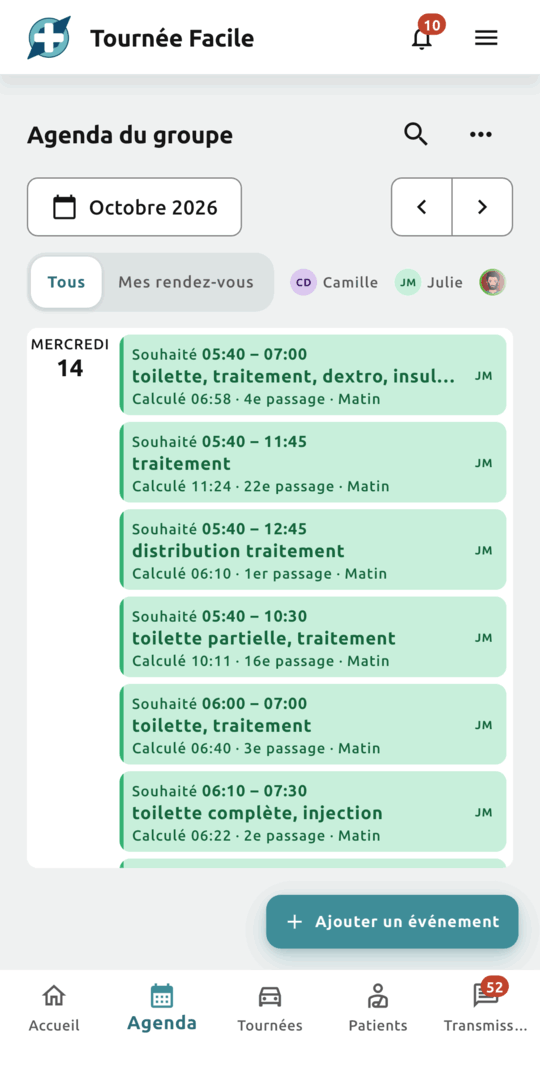
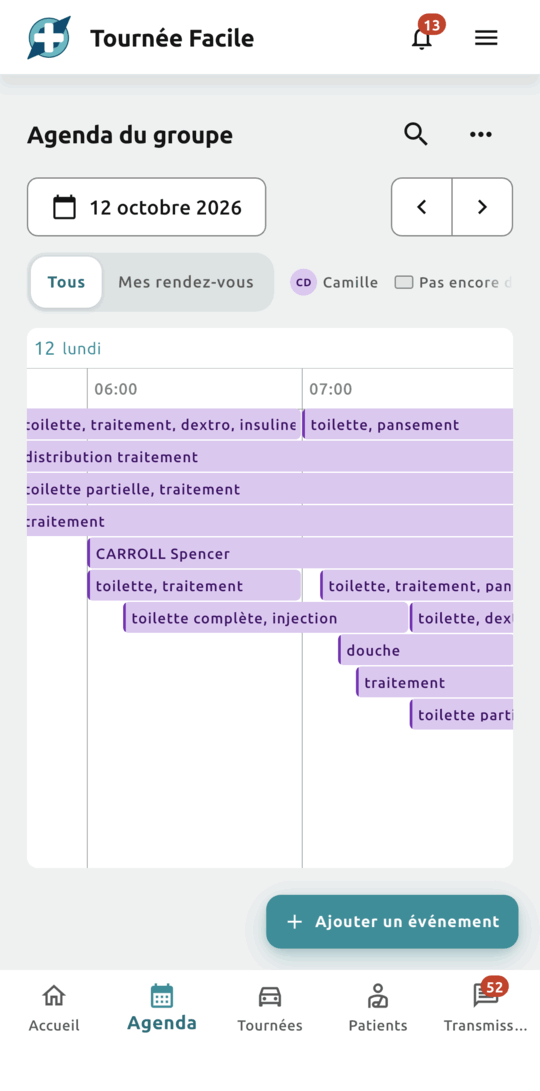
Open the Agenda tab. It opens on the day’s timeline, at the time of the first appointment. For another view, open the “…” menu at the top right and choose “Show as a list” or “Show as a timeline”.
The calendar belongs to the whole practice. What a colleague books or moves appears on your screen within the second, with nothing to reload. Each appointment takes the colour of the nurse who will do it, and a legend at the top names them. Click “My appointments” to keep yours alone, and “All” to see the whole practice again.
Booking an appointment from the calendar
Click “Add an event”, at the bottom right of the calendar, then fill in the form:
- the patient: click “Add patient” and pick them from the list. Not there yet? Click “Create a new patient”: you then come back to the appointment, with the patient chosen;
- the address: the patient’s is offered, and the practice’s too;
- the time: choose a “Time range” (earliest, latest) or a “Fixed time”;
- the duration: the time spent with the patient, excluding the drive. Tick “Remember this duration” to get it back on your next appointments;
- the repeat: enter the prescribed rhythm, every day by default, or every other day, Tuesday and Thursday… Then give the end of the treatment: no end date, a date, or after a number of visits;
- the acts, optional: pick them from the French nursing fee schedule (NGAP). They feed the month-end report of your visits.
Save: the appointment appears in the whole practice’s calendar, in the patient’s care plan, and in the day’s round that covers its time.
Filling in the care plan from the patient’s record
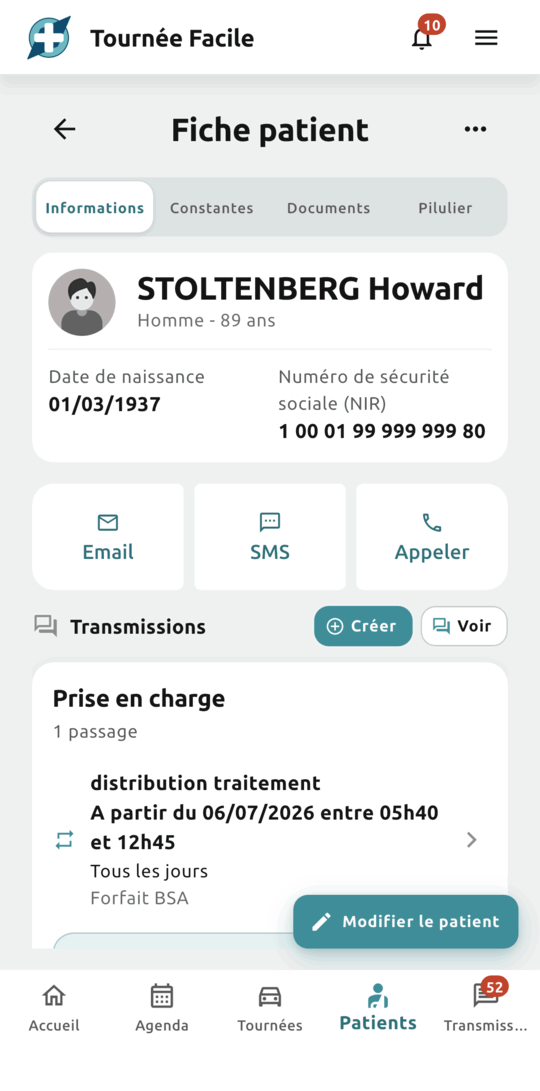
For a new patient, open the Patients tab and click “Create a patient”. A single form is enough: their name, their address, then the “Care plan” block, where you enter all their visits.
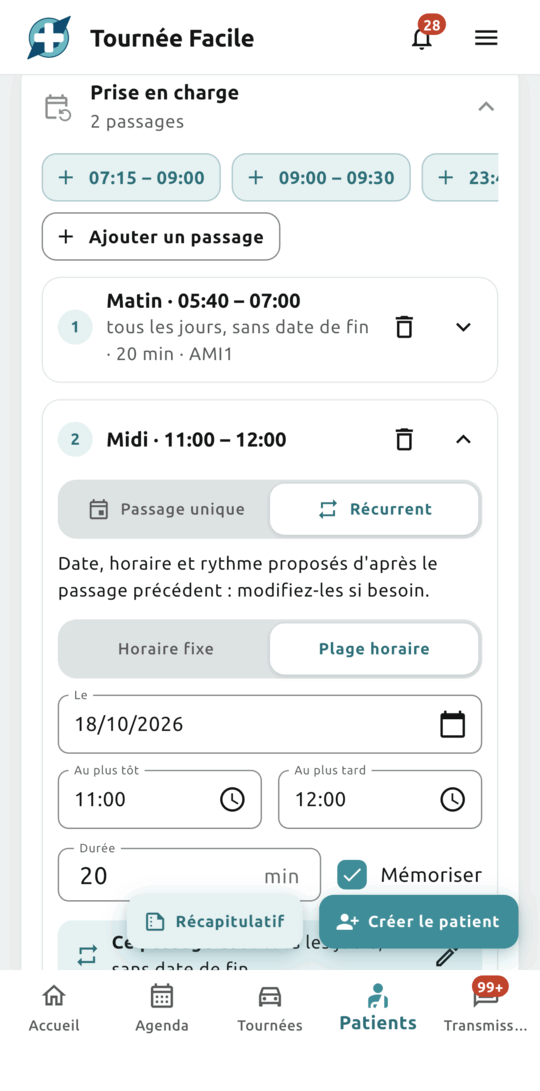
- Fill in the first visit: the window, the duration, the care for that visit and, if needed, a description of the care for your colleagues and your locums. It is recurring, every day, by default; enter the prescribed rhythm, or choose “Single visit” for one-off care.
- Add the next ones with “Add a visit”: the date and the rhythm of the previous one are carried over, two hours after it ends. Or click one of the practice’s usual windows, offered above and below the visits. A completed visit folds into one line, so you keep the overview.
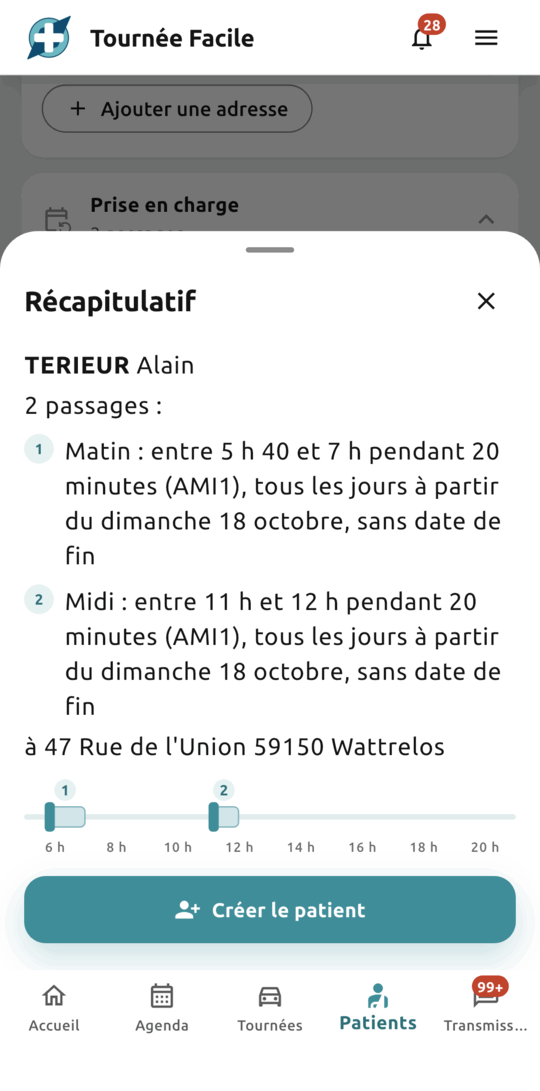
Check with “Summary”, at the bottom of the screen: one line per visit, spelled out (“between 5:40 and 7 for 20 minutes, every day, with no end date”), the address, and the patient’s day as a timeline. You see at a glance whether two visits overlap, or whether the rhythm you entered is the prescribed one.
Click “Create Patient”: their record opens (“Patient created with their 2 visits”), and their appointments are already in the calendar.
Changing an appointment or a series
Times change: the wash moves to 9 because the family will be there, a new prescription spaces out the dressings. You have two ways to go about it.
- From the patient’s record, click “Edit the care plan”: all their upcoming visits show up, whether you entered them from the record or from the calendar. On a visit already under way, your changes apply from today: the visits already done keep their times and their acts, and your month-end report stays right.
- From the calendar, click the appointment, then edit it. For recurring care, choose the scope: “This event”, “This and following events” or “All events”.
Either way, the round follows by itself: move an appointment from 7 am to 2 pm, and it leaves the morning round for the afternoon one.
Reading the rounds in the calendar
The calendar also tells you what the rounds made of your appointments, without leaving the screen:
- the colour: that of the nurse whose round holds the appointment. In grey, “Not in a tour yet”;
- as a list, each line gives the requested time, then the computed time and the rank: “Souhaité 05:40 – 07:00” (requested), “Calculé 06:58 · 4e passage · Matin” (computed, 4th visit, morning);
- an appointment’s detail: click it, and the “In the tour” panel shows the nurse, the round, the rank, the requested time and the computed time.
Who does which round is decided in the practice schedule. See the guide Rotation and absences.
Frequently asked questions
I booked an appointment in the calendar. Will I find it on the patient’s record?
Yes. A patient’s care plan is all their upcoming appointments, wherever they were booked. Open their record: the appointment is in the “Care plan” block. The reverse is true too: a visit added from the record shows up in the calendar.
How many appointments does the free plan allow?
Twenty appointments in the calendar. Recurring care counts only once, whatever its rhythm: a wash prescribed every morning counts as one appointment. The Pro plan lifts the limit.
Can I sync the calendar with Google, Apple or Outlook?
Not yet. It is a planned improvement. In the meantime, the Tournée Facile calendar works on its own and covers the practice’s planning.
Do my personal appointments belong in the calendar?
No: the calendar belongs to the practice and is shared by the whole team. It holds the professional activity and the patients’ care.
Want to try Tournée Facile?
The app is live: create your free account on the web, or download it from the App Store or Google Play.


Available in France for now — the rest of Europe is coming soon.