
Shared calendar
One shared calendar, up to date for everyone
Plan your patients' care and appointments, frame their times, adjust them: the whole practice works on the same version, always in sync.


Without Tournée Facile
- A paper rota photographed into three different phones.
- An appointment moved that nobody hears about.
- Recurring care to be typed in again week after week.
With Tournée Facile
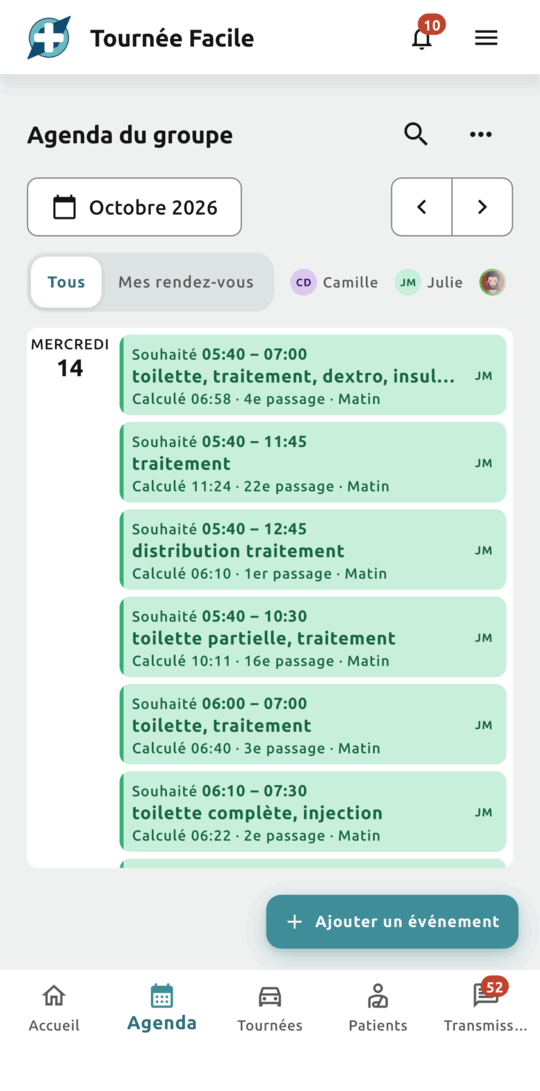
- One shared calendar, up to date for the whole practice at the same instant.
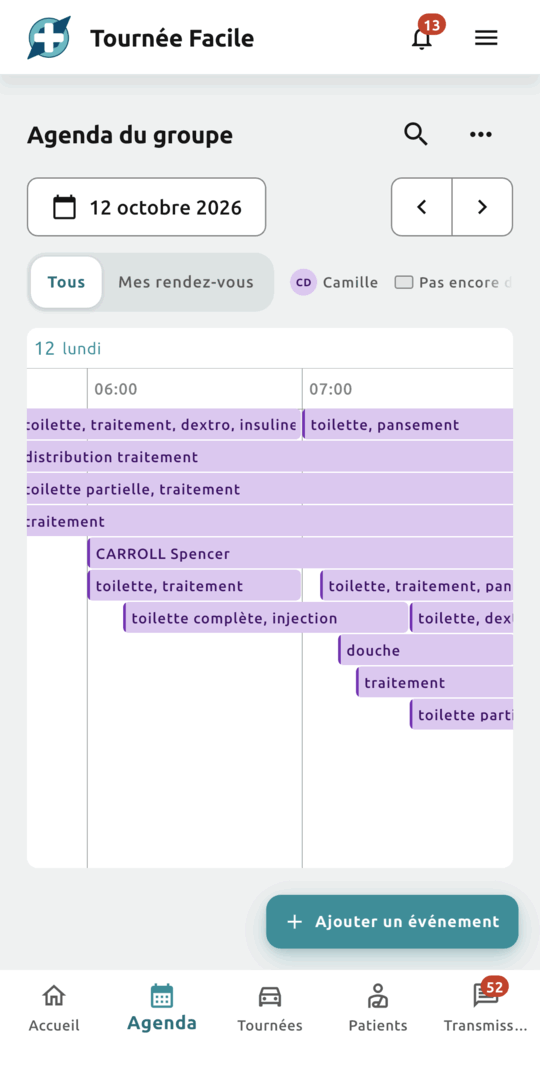
- The rounds fill themselves from the calendar, and each appointment takes its nurse's colour: everyone knows who does what and when, without asking.
- Enter the prescribed rhythm once: the care is scheduled on every date, with nothing to re-enter.
What it actually changes
One version of the rota
A change made by one member is synced within the second with everyone else. No more “did you see I moved the appointment?” messages.
Recurrences handled for you
Create care three times a week for a month in one go. Change it without reopening all twelve occurrences one by one: this one only, the following ones, or the whole series.
The round is built from the calendar
Today's rounds build themselves from the calendar's appointments, split on breaks, and go to the nurse on the schedule. No more forgotten or duplicated visits, including when a substitute arrives mid-week: the rounds adapt.
One colour per nurse
Each appointment takes the colour of the nurse who does it, as a list, a timeline, a week or a month. Click “My appointments” to keep yours alone; the practice schedule says who does which round.
How it works
Plan
Create a one-off or recurring visit, with the patient, their address and the planned acts.
Frame the time
Enter a visiting window (“between 8 and 10 am”) or a fixed time, with the duration of the care: the round optimisation will respect it.
Adjust as you go
Move an appointment, declare an absence: the change is synced with the whole practice straight away.
The step-by-step how-to: Organising the practice calendar: appointments and care plans
Coming: your external calendars
Syncing with Google, Apple or Outlook doesn't exist yet, and we'd rather tell you than promise it. The Tournée Facile calendar itself works today and covers the practice's planning.
Frequently asked questions
Not yet. It is on the roadmap. In the meantime, the Tournée Facile shared calendar stands on its own and covers the practice's planning.
When you create an event, repeat is set to “every day” by default. Switch it off or change it in the “Repeat” box: every other day, or every week on Tuesday and Thursday, for example.
No, the calendar is the practice's: it holds the shared professional workload.
Also worth a look
Practice schedule
Who does which round, day after day: absences, substitutes and rotation included, in each nurse's colour.
Learn moreOptimized rounds
The order of visits calculated automatically in seconds, and a round you work through stop after stop, without forgetting anything.
Learn moreVisit report
Every visit of the month with its NGAP billing code worked out automatically, and an estimate of your revenue to check before you invoice.
Learn moreWant to try Tournée Facile?
The app is live: create your free account on the web, or download it from the App Store or Google Play.
Available in France for now — the rest of Europe is coming soon.